 How-to
7 Steps to Verify Rental Property Listing Photos
Last Updated: October 26, 2026
Quick Summary
To verify rental listing photos, run a reverse image search on at least three tools, including a cropped version of each image, then match distinctive features like house numbers and window views to the exact address and unit. Ask the host for a live video or dated photo before paying anything.
- Read the listing details first: full street address, host name, unit number and booking terms.
- TinEye spots edited versions and sorts matches by oldest to find the original source.
- A reverse image search cannot catch AI-generated images or photos posted minutes ago.
- Ask the host for a short live video or a photo with today's date on a note.
- Never pay a deposit by wire transfer or gift card, since once sent it is gone.
Table of Contents
- Start With the Listing Details, Not the Pictures
- Run a Reverse Image Search for Rental Photos
- Match the Photos to the Exact Address and Unit
- Rental Listing Photo Red Flags to Watch For
- Questions to Ask a Rental Host Before You Book
- Your Rental Photo Verification Checklist
- What to Do When Photos Look Stolen or Inconsistent
- Book With a Host Who Shows You the Real Thing
- Frequently Asked Questions
Start With the Listing Details, Not the Pictures
Rental listing photos are the easiest thing to steal.
Before you study a single image, read the words around it.
Start with these basics:
- Full street address. Not just a neighborhood or a "near campus" note.
- Host name and contact info. Check that the name matches across every platform.
- Unit number. A townhome complex can have many similar buildings. You want the specific unit.
The Federal Trade Commission's rental listing scam guidance recommends checking ownership records and matching the landlord's ID to those records.
For a deeper walkthrough on what separates a solid listing from a thin one, see our guide on what to look for in vacation rentals.
Run a Reverse Image Search for Rental Photos
A reverse image search for rental photos is the fastest way to spot stolen pictures. Upload or paste an image, and the tool shows where else it appears online.
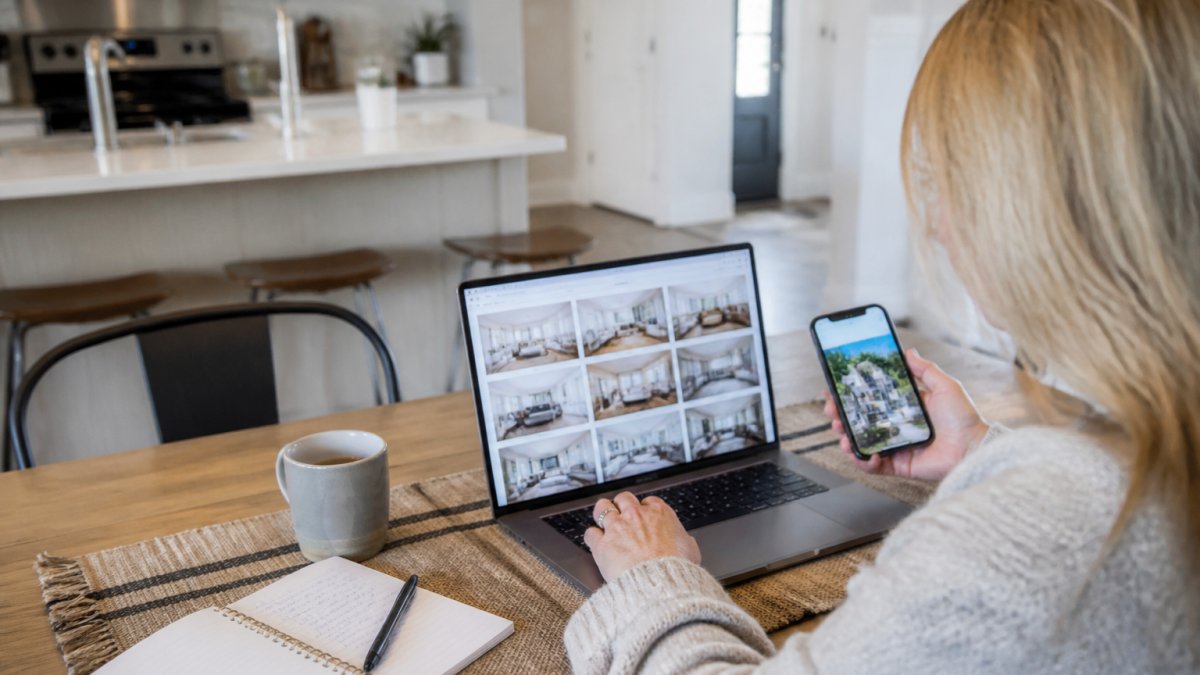
The mistake most renters make is running one search on one photo and calling it done. A single clean result proves little. You want a repeatable process that checks every photo, checks cropped and alternate versions, and records findings for later comparison.
A Tool-Neutral Reverse Image Search Workflow
Treat this as a loop you run for each listing photo, not a one-time step.
- Capture the full set. Save every listing image at the largest size available, or take a clean screenshot that includes the whole photo and the listing header.
- Log the source. Record the listing URL, platform, capture date and time, and host name for any later report.
- Run the full image first. Upload the original to Google Images, Bing Visual Search, TinEye, and Yandex. Each index is different, and a match on one tool the others miss is still a match.
- Run a cropped version. Crop to the most distinctive element, a kitchen island, a fireplace, a window view, and search that crop separately. Scammers often reuse cropped or resized photos that a full-image search misses.
- Run an alternate photo of the same room. If the living room is shown from two angles, search both; a stolen set may include one edited image that only surfaces under a different query.
- Compare matches on three fields. Note the address, host or poster name, and the date the image first appeared. A match under a different address is a red flag; the same address with an older date can be legitimate.
- Screenshot the results page with the date visible. This is your evidence if you need to report the listing or warn others.
What Each Search Tool Tells You
Google Images gives the widest reach and is the best first pass. Bing Visual Search finds near-identical crops and resized versions. TinEye spots edited versions of the same file and sorts by oldest match to find the original source.
No single tool is complete. Run at least three, plus the crop search. A clean result across all of them is a good sign, not a guarantee.
Where Reverse Image Search Falls Short
A reverse image search only finds copies it can see. It will not catch:
- Brand-new photos taken from a listing that was just posted. If the scammer stole images minutes ago, no index has them yet.
- AI-generated images. These have no prior copies to match, and they can look convincingly like a real room.
- Heavily edited, mirrored, or cropped photos that no longer match the original file closely enough for the tool to pair them.
Pair a clean result with the address and unit check below.
Each reverse image search tool catches something the others miss, so run several.
| Tool | What it tells you |
|---|---|
| Google Images | Widest reach; best first pass |
| Bing Visual Search | Finds near-identical crops and resized versions |
| TinEye | Spots edited versions; sorts by oldest match |
| Yandex | Catches reposts on regional listing sites and social platforms |
Match the Photos to the Exact Address and Unit
A listing can pass the image search and still show the wrong property. Next, prove the photos belong to the exact address and unit you plan to book, not a similar unit in the same complex, and not a property in a different city.
This check catches the most sophisticated fakes. A scammer who knows about reverse image search may use original photos of a real unit they do not control. Image search will not flag those; address and unit matching will.
Compare Distinctive Features, Not Just the Address
Start with the exterior, then work inward, hunting for features that are hard to fake or swap.
- House numbers, street signs, and unit plates. Look for them in exterior shots and entryway photos. A unit number that does not match the listing, or a house number that does not match the address, is a stop sign.
- Building exterior and roofline. Compare the photos to map and street-view imagery. Roof shape, siding, window placement, driveway, and landscaping should match.
- Entryway and hallway details. Door color, mailbox style, stair placement, and flooring in common areas are hard to change and easy to compare.
Use the Listing Text as a Cross-Check
Photos and text should tell the same story. Read the description against the images:
- Flooring and finishes. Carpet in the photos and hardwood in the text is a mismatch. So is a "renovated kitchen" with dated cabinets in the pictures.
- Appliances and amenities. If the text promises an in-unit washer and dryer, the photos should show them or the host should explain where they are.
- Parking and outdoor space. A "private yard" photo that is actually a shared courtyard is a common exaggeration. Ask for a photo of the specific space assigned to the unit.
Ask for a Live or Dated Photo
The hardest test to fake is a specific, time-stamped image. Ask for a short live video or a photo of something specific, the kitchen counter with today's date on a note, the unit number by the door, or the view out the main window.
A live video walkthrough is even stronger. Ask the host to pan from the entryway through each room and out a window. If layout, finishes, and view match the photos, you have strong evidence. If the host refuses, treat that as your answer.
When Photos Do Not Match
If the photos fail the address or unit check, do not argue. Stop the conversation, save your evidence, and move on. Report the listing to the platform and to the FTC at ReportFraud.ftc.gov, then start over with a host who will show you the real thing.
Rental Listing Photo Red Flags to Watch For
Rental listing photo red flags tend to cluster. One odd photo means little. Three together means walk away.
Watch for these:
- Stock-photo polish. Perfect staging, no personal items, no wear anywhere.
- Photos that do not match the description. Carpet in the pictures, hardwood in the text.
- Missing rooms. No bathroom photos, no kitchen photos, no exterior.
Questions to Ask a Rental Host Before You Book
The right questions confirm the property is real and reveal how the host handles problems. A good host answers plainly and quickly.
Ask these:
- "Can you send a short video of the unit today?" A real host can. A scammer cannot.
- "What is the exact address and unit number?" Vague answers are a warning.
- "Who manages the property, and how do I reach them during my stay?" You want a name and a working number.
If you are ready to ask a host directly, you can contact our team for booking questions and availability.
Your Rental Photo Verification Checklist
Use this checklist every time you book. It takes about fifteen minutes and saves a lot of grief.
- Full street address and unit number confirmed
- Host name matches across every platform
- Listing details consistent on at least two sites
If any box stays unchecked, slow down. Ask one more question before you send money.
What to Do When Photos Look Stolen or Inconsistent
Do not confront the host with an accusation. Gather evidence and walk away.
Here is the order we recommend:
- Stop communicating about payment. Do not send a deposit.
- Save your evidence. Screenshot the listing, the reverse image results, and any messages.
- Report the listing to the platform where you found it.
- Report the scam to the FTC at ReportFraud.ftc.gov.
- Warn others in local rental groups or alumni forums.
- Start your search over with a verified host.
For help finding trustworthy options in our area, read our guide on finding reliable rentals in State College.
Watch out: paying a deposit by wire transfer or gift card is the single most common way renters lose money to a fake listing. Once it is sent, it is gone.
Book With a Host Who Shows You the Real Thing
The best defense against a fake listing is a host who invites scrutiny.
At BLUEANDWHITELODGING, our newly built three-bedroom townhomes near campus are managed by a Penn State graduate who lives and works here.
If you want to understand why that local setup matters, read about the benefits of locally managed vacation rentals. When you are ready, you can book your stay and reserve your dates early for high-demand weekends.
Frequently Asked Questions
How can I tell if rental listing photos are fake?
Look for mismatches between the photos and the listing text: a unit described as a three-bedroom townhome but photographed with only one bedroom, views that do not match the stated location, or images that look like stock photography. Run each photo through a reverse image search to see whether it appears on other listings or on unrelated websites. The FTC also recommends checking property ownership records and matching the landlord's identity to those records, because convincing photos alone do not prove a listing is legitimate.
How do I use reverse image search to check rental photos?
Save or copy the image URL from the listing, then upload it to Google Images, Bing Visual Search, and TinEye one at a time. Compare the results: if the same photo appears on a different address, a different city, or a stock photo site, treat the listing as suspect. Run the exterior shot and at least two interior photos, since scammers often reuse only the most attractive images. Reverse image search for rental photos is a fast first filter, but it cannot confirm that a photo is current or that the unit is real, so pair it with an ownership check.
What should I ask a host if the listing photos seem suspicious?
Ask for a short live video walkthrough of the specific unit, not a saved video, and request that the host show the unit number or a view from the window. Ask when the photos were taken, whether the furniture shown is still in the unit, and for the property manager's name and contact information. A legitimate host answers these questions directly. Vague answers, pressure to pay a security deposit before a tour, or refusal to do a live call are reasons to walk away.
Can rental listing photos be from an old or previous listing?
Yes. Hosts sometimes reuse photos from a prior listing, which means the furniture, paint, or layout may have changed since the images were taken. Compare the photo dates with the listing's stated availability and ask the host to confirm the photos are current. If the images show a different unit number, a different building exterior, or furnishings that no longer match the description, request fresh photos or a live video tour before you commit.
Photos can be copied in seconds. A real host cannot fake a live walkthrough, a working phone number, or a property that matches its listing down to the unit number. Ask the questions, run the searches, and book with someone who welcomes the check.
Get started with BLUEANDWHITELODGING and reserve a spacious townhome for your next campus visit.